
27 September 2026
FutBalance 2.0: your game, in full
FutBalance 2.0 changes how the app looks and brings in what used to happen outside it on match day: the pitch money, who you think will win, the goal of the season, and fixtures with more than two teams.
What's new
A clearer design
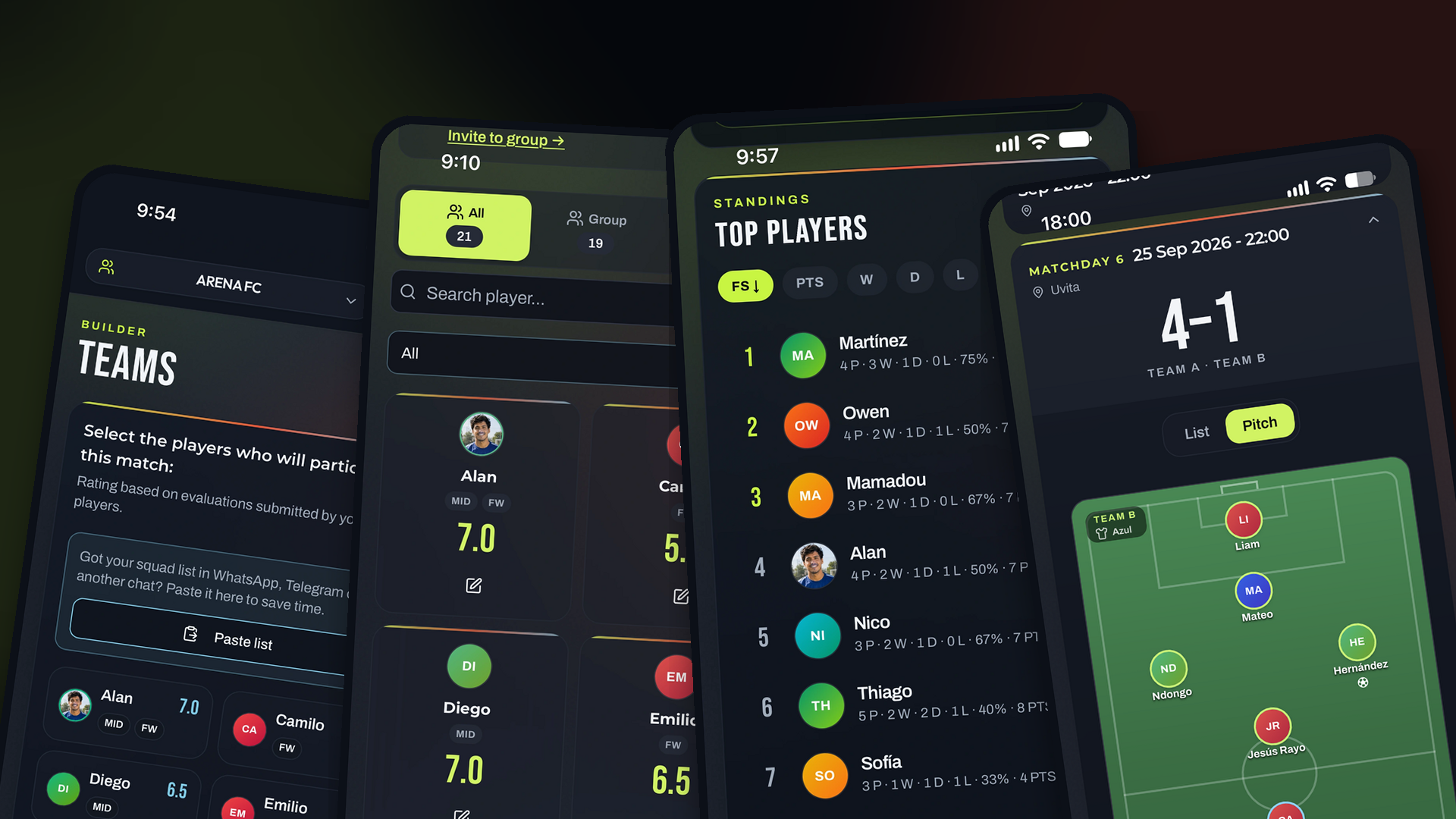
The landing page, the dashboard and the cards speak the same language. You see what matters first: the pitch, the score, the player. Yellow marks the action. If you prefer, you can use it in a dark or a light version.
Your profile photo
Each player can upload their own photo. On Players and on Teams, that photo has a ring in the position color. Shared images use the same photo.
The match, on the pitch
When you build the teams, and on the match card too, you can see them as a list or on the pitch and drag each player to a new spot. Matches are numbered matchday 1, matchday 2… until the time filter you use runs out and the next season starts.
If you share an upcoming match in the pitch view, you can move positions just for that image. That move does not change the position used to calculate the FutBalance Score. A note says so before you share.
More than two teams
Some kickabouts have three or four sides, and you often do not know the fixture until it is played. You can split into several teams, not only two. Save the lineups and create the matches once you know who played whom, or create them now. The generator explains it. You can leave it as the default and turn it off in Settings.
Venues
Venues are always available. You do not switch them on, the way you do with named teams. You register the pitch and what the booking costs.
Treasury
From the pitch price, treasury knows who played and splits what each person owes. You can mark a payment, log an advance and add one-off costs: a ball, bibs, water. The organizer and the secretary see it.
The season's Puskás
It is optional. If you turn it on, completing a match lets you nominate a goal: you pick the player and write how it happened, so you remember it later. The day before the season ends, a 24-hour vote opens. The winner gets 5 FS on that season's stats. There is a table of nominees and another of winners, with the season and the write-up of the goal.
Pre-match picks
Before kickoff, everyone says who they think will win. The notification goes out on its own, one hour after the match is created, in case it has to be redone. Voting closes when the match is about to start. Stats has a table of who calls it best. Each person can turn off the picks push without turning off the rest.
New stats
If the group does not track scorers, there is a goal-difference table: goals for, goals against and the difference. It uses the team score. A 6-1 gives every player on that side 6 for and 1 against, and the reverse on the other side.
Goalkeepers get a ranking of goals conceded. The ideal lineup can be viewed in another kind of football: if it usually loads 5-a-side, you can switch to 7-a-side or whatever you want to see. Organizers and secretaries can rename each rating attribute, set its weight (50%, for example) and add or remove attributes, up to 10.
Improvements
Ties in the awards
If two players tie for the most MVP votes, the star sits next to both, not only next to the first name on the list. The same goes for the other awards. The points already counted everyone; the match card now shows it too.
Calendar and help
Adding upcoming matches to your calendar works on iOS and in Google Calendar: it is a subscription to the group calendar. The help page covers more, including how to turn on named teams when the same sides always play.
Details
- Search ignores accents: “José” finds Jose.
- When you paste a WhatsApp list, you can tap anywhere on the row to move between names.
- The page to invite the group only shows if you are an organizer or technical secretary of one.